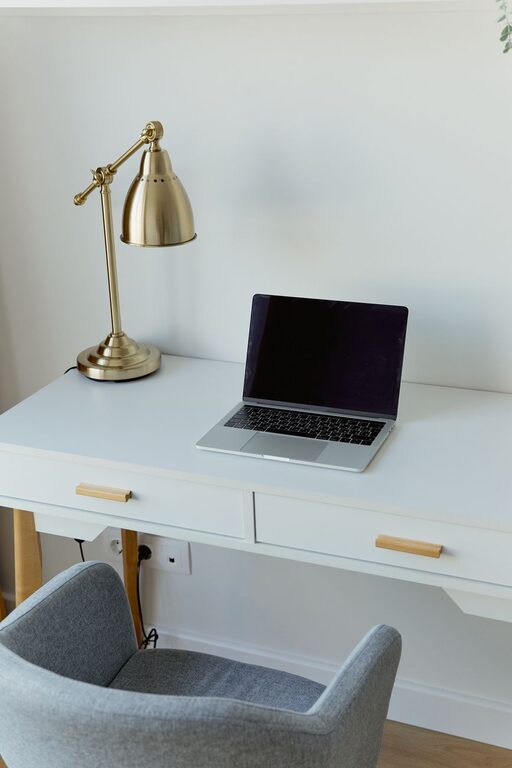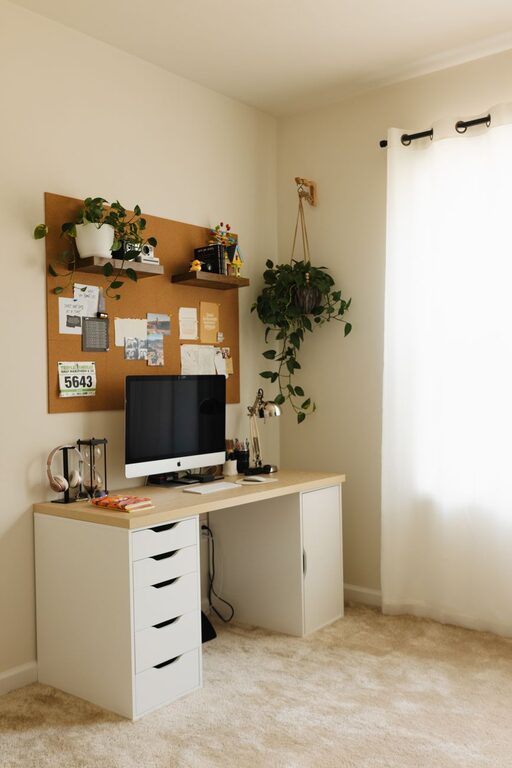

Creating a productive home office environment is essential for anyone working remotely or managing tasks from home. A well-designed workspace can improve focus, reduce stress, and increase overall job satisfaction. Whether you have a dedicated room or a cozy corner, these tips can help transform your home office into a space where productivity thrives.
1. Choose the Right Location
Selecting the right spot for your home office is the first critical step. Ideally, pick a quiet area with minimal distractions. If possible, avoid high-traffic zones such as the kitchen or living room where interruptions are frequent.
Consider these factors when choosing your space:
– Natural light: A spot near a window can boost mood and energy.
– Ventilation: Fresh air helps keep you alert.
– Privacy: Choose a place where household noise is minimized.
If a separate room isn’t available, carve out a dedicated corner using room dividers or shelves to visually separate your workspace from living areas.
2. Invest in Ergonomic Furniture
Comfort plays a big role in how productive you can be. Invest in an ergonomic chair that supports your lower back and encourages healthy posture. Pair this with a desk at the right height to prevent strain on your wrists and shoulders.
Tips for ergonomic setup:
– Keep your feet flat on the floor or on a footrest.
– Position your monitor so the top of the screen is at or slightly below eye level.
– Maintain about an arm’s length distance from your screen.
– Use an external keyboard and mouse if you work on a laptop.
Ergonomic furniture reduces discomfort and supports longer, more focused work sessions.
3. Optimize Lighting
Good lighting reduces eye strain and enhances alertness. Aim to use natural light as much as possible during the day. Supplement with layered lighting for different needs:
– Ambient lighting: provides overall illumination.
– Task lighting: focused light for reading or computer work.
– Accent lighting: adds visual interest and warmth to the workspace.
A desk lamp with adjustable brightness and color temperature is a smart choice. Avoid harsh fluorescent lights or overly dim rooms.
4. Keep Your Workspace Organized
A clutter-free desk helps keep your mind clear and workflow smooth. Designate storage areas for office supplies, documents, and electronics.
Organizing tips:
– Use drawer organizers or containers for small items.
– File papers regularly or switch to digital storage.
– Keep only daily essentials on your desk.
– Use cable clips to manage cords neatly.
Creating a habit of tidying up your space at the end of each day can make a big difference.
5. Personalize Your Space
Adding personal touches can make your home office feel inviting and motivating. Choose a few items that inspire you without creating distractions.
Ideas include:
– Framed photos or artwork
– A small plant for fresh air and color
– Inspirational quotes or vision boards
– A comfortable rug or textured cushion
Personalization helps create a positive emotional connection to your workspace.
6. Use Technology Wisely
Ensure your home office is equipped with the right technology for your job. A reliable computer, fast internet connection, and quality headphones or speakers enhance efficiency.
Additional tech tips:
– Use productivity tools and apps to manage tasks.
– Set up dual monitors if your work involves multitasking.
– Keep chargers and backup batteries accessible.
– Regularly update software for security and performance.
Technology should support your work, not complicate it.
7. Establish Boundaries and Routines
Working from home means blending personal and professional life. To maintain productivity, it’s important to set clear boundaries.
Suggestions:
– Define your work hours and stick to them.
– Communicate your schedule with family or housemates.
– Use “do not disturb” signals during focused tasks.
– Take regular breaks to avoid burnout.
Creating routines around starting and ending your workday helps maintain professionalism and work-life balance.
8. Minimize Distractions
Distractions can derail concentration. Identify what commonly interrupts your focus and take steps to reduce them.
Examples:
– Turn off non-essential notifications on your phone.
– Use noise-cancelling headphones or background music.
– Keep pets in another room during work hours.
– Use apps that block distracting websites.
A distraction-free environment empowers deeper concentration.
—
Building a productive home office environment takes some planning and effort, but the benefits can be substantial. By focusing on comfort, organization, lighting, and boundaries, you can create a space that supports your goals and enhances your work-from-home experience. Remember that your workspace should evolve with your needs—don’t hesitate to make changes as you find what works best for you.
About the Author